
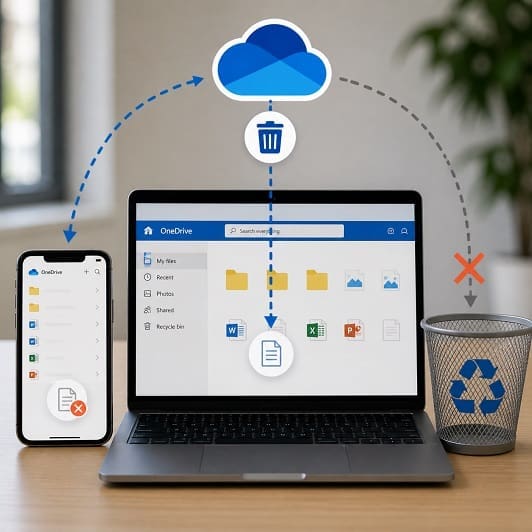
Microsoft has quietly introduced a significant behavioural change in how OneDrive handles deleted files – and it materially increases the risk of accidental data loss if users are not aware of it.
What Has Changed
Previously, if a user deleted a file from OneDrive via the web interface, mobile app, or another synced device, that file would often still appear in the local Recycle Bin (Windows) or Trash (macOS) on a synced computer.
That fallback no longer exists.
From May 2026 onwards:
- Files deleted from the cloud are:
- Removed immediately from local devices
- Not placed in the local Recycle Bin or Trash
- Recovery is only possible via:
- The OneDrive web recycle bin (or SharePoint recycle bin, where applicable)
Local deletions made directly on the machine continue to behave normally and still use the local Recycle Bin.
Why Microsoft Is Doing This
Microsoft’s stated aim is to:
- Improve sync performance
- Reduce complexity across multiple recovery paths
- Ensure consistent behaviour across web, desktop, and mobile access
From a systems engineering perspective, this creates a single authoritative recovery location (the cloud recycle bin) instead of two competing ones.
That may simplify the platform – but it removes a long‑standing, user‑relied‑upon safety net.
Why This Is Risky in Practice
The issue is not that recovery is impossible – it’s that user expectations are now wrong.
Most users instinctively:
- Delete a file
- Open the local Recycle Bin when something goes missing
Under the new model:
- The file simply is not there
- Users may assume it is permanently gone
- Recovery can be delayed or missed entirely
This change is particularly dangerous because:
- There is no visible warning
- There is no admin opt‑out
- The behaviour changes silently
What IT Teams and MSPs Should Do Now
Although Microsoft states no admin action is required, operationally that is misleading.
Recommended actions:
- Update user guidance and helpdesk scripts
- Explicitly train users:
- “If it was deleted from the web or phone, check OneDrive online – not your bin”
- Review backup strategies, especially for:
- Business‑critical folders
- Regulated or audit‑sensitive data
- Ensure staff understand:
- Cloud‑initiated deletion ≠ local deletion
- Different recovery paths now apply
Key Takeaway
This is not a technical failure – it is a human‑factor risk.
Microsoft has optimised the platform, but user habits have not changed. Until they do, accidental data loss incidents are statistically more likely.